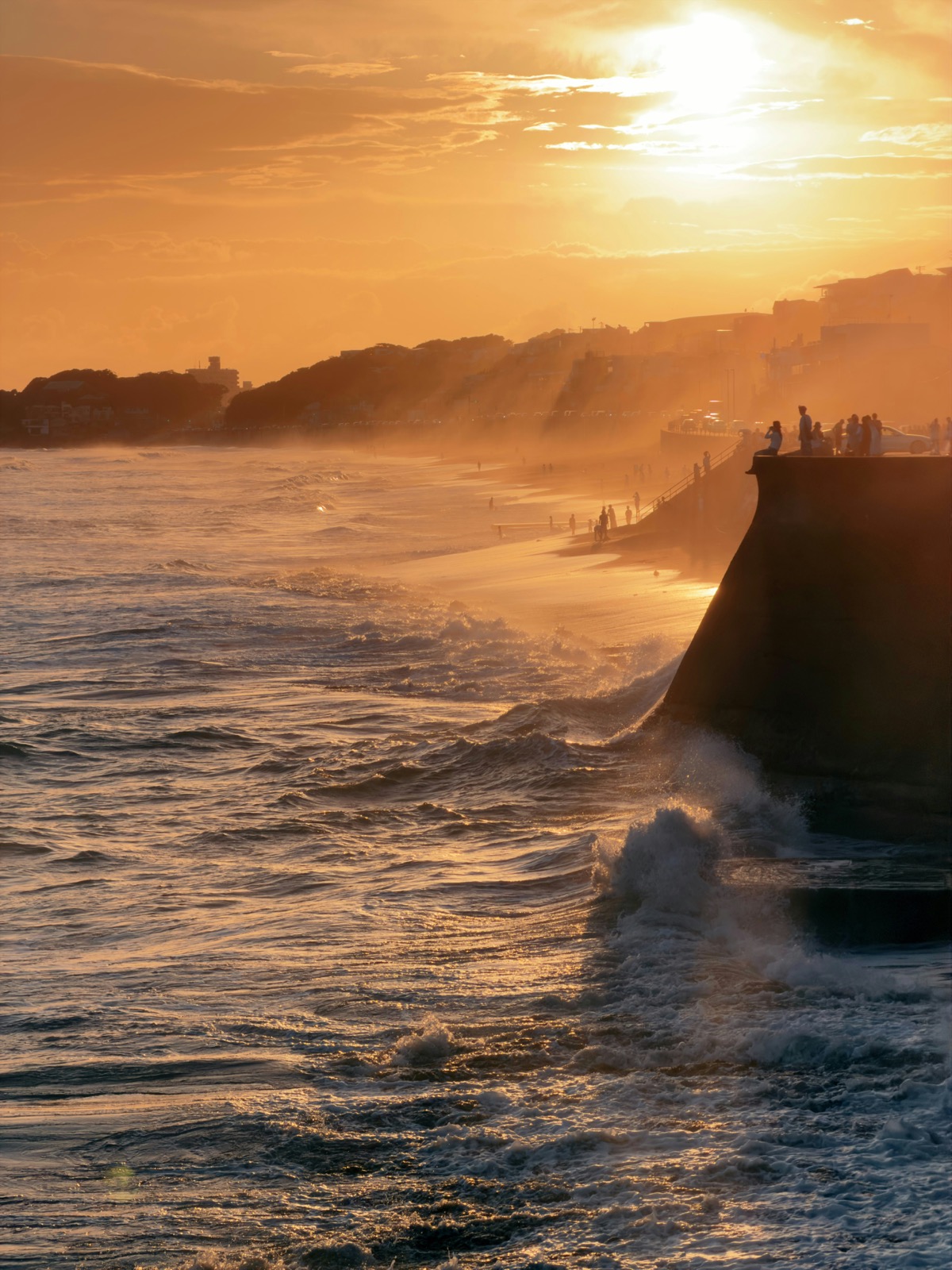
O problema mais comum em fotos de celular é a exposição, quantidade de luz registrada pelo sensor. Em muitas imagens, faço os mesmos três ajustes: aumento um pouco o contraste, reduzo as altas luzes e elevo as sombras. Os demais controles costumam ter efeito menor.
Fotos de celular muitas vezes registram bem o momento, mas apresentam limitações de exposição. Rostos podem ficar escuros diante de uma janela clara, o céu pode perder detalhes e a cena pode parecer sem contraste. Nossos olhos lidam melhor com diferenças de luminosidade do que o sensor do telefone.
Muitos problemas comuns em fotos estão relacionados à exposição. A cena pode ter mais faixa dinâmica, diferença entre o ponto mais claro e o mais escuro, do que o sensor consegue registrar. Por isso, uma janela clara e um rosto na sombra nem sempre ficam bem expostos no mesmo disparo automático, e os controles de edição ajudam a escolher quais áreas priorizar.
Para entender esses tons de forma técnica, o guia da Cambridge in Colour sobre histogramas de imagem oferece uma explicação clara. As áreas claras aparecem à direita do gráfico, e as sombras, à esquerda; os três controles ajustam justamente essas regiões.
A receita
1. Abra a foto em Efeitos e filtros.
2. Aumente um pouco o Contraste para remover a aparência acinzentada, semelhante à de uma foto feita através de um mosquiteiro.
3. Baixe Luzes para o céu claro e as janelas se acalmarem e mostrarem detalhe de novo.
4. Suba Sombras para rostos e cantos escuros voltarem à conversa.
5. Opcional: um toque pequeno de Nitidez se o resultado ainda parecer mole.
6. Pare de verdade antes de ficar com cara de pacote de filtro de quiosque de shopping.
Movimento pequeno é o truque inteiro. Empurre o slider, desvie o olhar por dois segundos e olhe de novo: se você não souber na hora se a mudança ajudou, provavelmente estava no ponto, e se a foto grita “editada”, volte.
Os três sliders
O contraste aumenta a diferença entre os tons e dá mais profundidade à imagem. Luzes atua nas áreas mais claras, como céu e janelas, enquanto Sombras afeta as partes escuras, como um rosto fotografado contra a luz.
É por isso que a receita funciona: ela conserta as duas pontas da luz sem estragar o meio. Subir Brilho no lugar disso é a versão iniciante, porque levanta tudo de uma vez, então salvar um rosto escuro também explode o céu atrás.
A ordem
Se você for além dos três sliders, trabalhe nesta ordem: luz primeiro (Contraste, Brilho, Luzes, Sombras), cor depois (Saturação) e Nitidez por último. Nitidez cedo é passar ferro na camisa antes de lavar, porque cada ajuste de luz muda o quanto a foto parece nítida, então deixe o polimento final para o fim.
Quando quebrar
Se o quadro inteiro está simplesmente escuro, como um jantar em casa, levante Sombras primeiro e acrescente um toque de Brilho. As luzes não são o problema ali.
Se um dia cinzento parecer sem vida, um pouco de Saturação pode ajudar mais do que aumentar o brilho. As cores continuam presentes, mas a iluminação uniforme reduz sua intensidade aparente.
Se alguém está na frente de uma janela, resista à vontade de consertar com Brilho global. Baixe Luzes, suba Sombras e deixe as duas pontas se encontrarem no meio.
Erros que eu ainda faço
1. Saturar demais gente: paisagem perdoa um empurrão de saturação, mas pele vira laranja e começa a brilhar, então se tem rosto na foto seja gentil.
2. Aumentar demais as Sombras em uma foto noturna, porque as áreas escuras escondem ruído e o ajuste também torna esse grão mais visível.
3. Exagerar na Nitidez: um pequeno aumento pode ajudar, mas valores altos criam contornos artificiais nas bordas.
4. Editar com a tela no brilho máximo, porque tudo fica ótimo numa tela ofuscante. Confira no brilho normal, que é assim que o resto do mundo vai ver.
5. Nunca comparar com o original. Volte à versão sem ajuste no fim, e se a edição não for claramente melhor, ela não está pronta, ou a foto nunca precisou disso.
O que o slider não conserta
Há limites claros: se o céu ficou totalmente branco, não restaram detalhes para recuperar. Reduzir Luzes ajuda apenas nas áreas próximas da superexposição. Se a foto estiver fora de foco, nenhum controle recupera a nitidez, e esse ajuste apenas evidencia os contornos do desfoque. Nesses casos, volte ao arquivo original e compare outras fotos da sequência antes de aumentar a intensidade dos filtros.
A boa notícia é que a maior parte das fotos do dia a dia não está quebrada, só tímida, e é exatamente o caso que a receita dos três sliders resolve. Como Efeitos roda inteiro no navegador, até o experimento duvidoso fica entre você e o aparelho.
O que eu desfaço
Eu sempre comparo o resultado com o original. Se a melhora não for clara em poucos segundos, mantenho a versão original, porque um ajuste mais intenso não é necessariamente melhor.
Eu também olho a foto no brilho que eu uso para ler, não no brilho que eu uso para editar. Um rosto que parece vivo numa tela ofuscante parece frito numa tela normal, e eu já publiquei esse rosto frito: não preciso publicar de novo.
Se há uma pessoa no quadro, observo primeiro a pele. O contraste e a saturação que deixam uma rua mais vibrante podem tornar o rosto alaranjado, por isso reduzo a intensidade até manter tons naturais.
Fotos noturnas exigem ajustes mais contidos, porque aumentar as sombras para revelar um rosto também destaca o ruído. Paro quando a pessoa fica visível, sem tentar fazer o ambiente parecer iluminado como durante o dia.
Se o céu é um buraco branco, eu não fico puxando luzes na esperança de nascer nuvem, porque pixel vazio continua vazio. Eu mantenho o resto do ajuste e vivo com um céu claro, ou vou tirar a foto de novo com menos brilho no quadro.
A maior parte das fotos do dia a dia não tem um problema grave, apenas precisa de pequenos ajustes. Aumente o contraste, reduza as áreas muito claras, eleve as sombras e compare com o original; se a melhora não for evidente, mantenha a versão anterior.