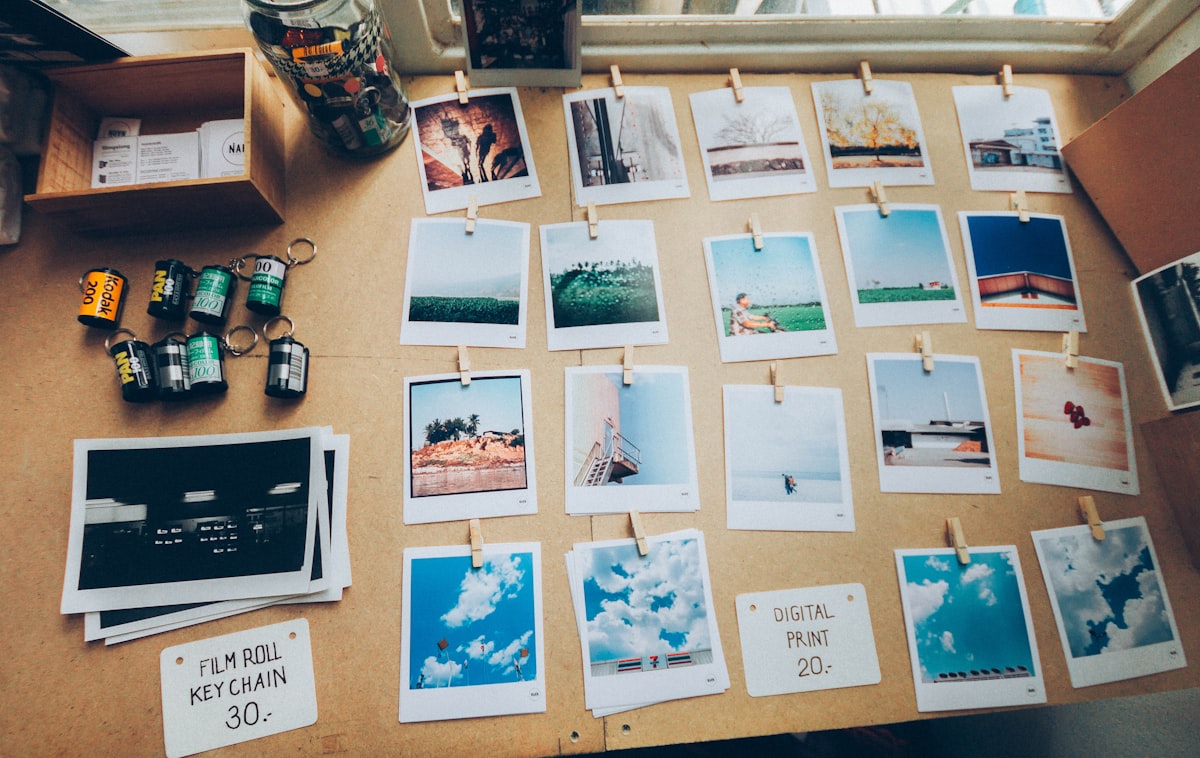
Colagens falham quando todas as fotos disputam atenção, com bordas intensas, espaços irregulares e muitas imagens sem hierarquia. A solução é simples: use menos fotos e conte uma história mais clara.
Melhores momentos da viagem, antes e depois, dia de jogo ou o caos de aniversário pedem a mesma ordem: escolha a história primeiro e o layout depois. Se você não consegue nomear a história em cinco palavras, ainda não escolheu uma história, escolheu uma pasta.
Uma colagem limpa usa princípios semelhantes aos do design editorial. Editores adotam a sequência de plano geral, plano médio e plano de detalhe no fotojornalismo: apresentar o ambiente, mostrar as pessoas e destacar um detalhe que caracteriza a situação. A fotomontagem artística pode ser caótica, mas uma publicação de feed tem pouco espaço e precisa ser compreendida rapidamente.
O olhar também agrupa elementos próximos. Essa é uma aplicação simples do agrupamento da Gestalt: espaços iguais parecem planejados, enquanto intervalos diferentes sugerem erro. Combine a iluminação entre os quadros para que o conjunto seja percebido como uma única composição.
Menos fotos
Três ou quatro fotos costumam funcionar melhor. A colagem ocupa poucos centímetros na tela do celular; com seis imagens, cada quadro fica pequeno demais, enquanto três fotos ainda mantêm rostos e assuntos reconhecíveis.
Então faça um teste com as fotos. De quarenta cliques do mesmo fim de semana, você precisa de um plano aberto que mostre o lugar, um plano médio com as pessoas e um detalhe, a comida, os ingressos ou o cachorro de chapéu de festa. Aberto, médio e detalhe: esse trio conta história desde a época do jornal impresso, e ainda funciona num post de feed.
O layout
- Um quadro grande mais dois pequenos: o momento principal com contexto de apoio. O olho cai no grande primeiro, exatamente como o plano pedia.
- Dois quadros iguais lado a lado: comparações. Antes e depois, ano passado e este ano, expectativa e realidade.
- Uma grade 2x2: quatro tempos do mesmo evento. Funciona melhor quando as fotos são parecidas visualmente.
A regra é simples: use quadros desiguais para criar destaque e narrativa, e quadros iguais para comparação. Espaços do mesmo tamanho dão importância semelhante às fotos, enquanto um quadro maior indica o elemento principal.
Monte a colagem
- Monte o layout na ferramenta de colagem. Roda no navegador, então as fotos ficam no seu aparelho.
- Coloque três ou quatro fotos, não o rolo inteiro da câmera.
- Escolha o quadro: quadrado para post de feed, alto para stories.
- Escolha um modelo de layout e ajuste a posição de cada foto para manter o assunto bem enquadrado.
- Mantenha os espaçamentos iguais, porque distâncias irregulares deixam a composição com aparência de descuido.
- Veja a prévia no tamanho de celular, depois exporte antes de pensar demais.
Mantenha os espaços finos e regulares, porque bordas coloridas muito largas deixam a composição carregada. Em uma versão vertical para stories, afaste os rostos do topo e da base, onde aparecem o nome de usuário e a caixa de resposta.
Detalhes
O sinal mais evidente de uma colagem apressada é a diferença de iluminação entre as fotos. Uma imagem quente e dourada ao lado de outra azul e escura deixa o conjunto inconsistente, por isso aplique ajustes semelhantes de contraste e saturação antes de montar a composição.
Observe também os níveis de ampliação. Misturar um close extremo com uma foto muito aberta em uma grade pequena pode desequilibrar a composição. Mantenha os assuntos com tamanhos visuais próximos ou use um quadro maior para destacar uma das imagens.
Resolução, desta vez, não é a preocupação. Uma colagem quadrada perto de 1080x1080 dá conta do feed, e uma alta perto de 1080x1920 cobre stories, e seus originais quase certamente são maiores do que os espaços que vão ocupar.
O que a colagem não faz
Antes de exportar, lembre que a colagem reduz todas as fotos e não preserva detalhes muito pequenos. Se o principal elemento da imagem for uma expressão sutil ou um texto curto, publique essa foto separadamente.
- Não conserta foto tremida ou mal iluminada. Pequeno e borrado continua borrado.
- Não faz seis fotos sem relação parecerem relacionadas. Isso é curadoria, e curadoria significa apagar.
- Preencher cada espaço não é obrigatório. Se a foto só está ali porque o espaço existia, corte a foto e escolha um layout com menos espaços.
Antes de exportar
Eu oculto uma foto e verifico se a sequência ainda funciona. Se ela não fizer falta, removo-a, porque imagens decorativas podem deixar a colagem carregada.
Eu também confiro os cantos da versão alta do jeito que confiro um corte de story. O topo é onde fica o nome de usuário e a base é onde fica a caixa de resposta, então um rosto nessas faixas é um rosto que você já perdeu.
Se as fotos vieram de dias diferentes, não tento reuni-las apenas porque gosto de todas. Duas publicações com propostas claras funcionam melhor do que uma seleção desorganizada.
O que fica de fora
Também retiro fotos que dependem da leitura de uma placa pequena, porque esse texto ficará ilegível na colagem. A imagem pode ser publicada separadamente ou mantida no rolo da câmera.
Eu deixo de fora a foto com temperatura de cor diferente do resto. Uma cozinha quente e uma rua azul de noite não viram conjunto porque eu coloquei um vão entre elas, então ou eu combino um pouco a luz primeiro, ou escolho um conjunto novo da mesma hora.
Também deixo um espaço vazio quando o layout tem quatro posições, mas só há três fotos relevantes. Preencher a última posição sem necessidade deixa a composição carregada; três imagens coerentes funcionam melhor do que quatro sem relação clara. Se o modelo não aceitar um espaço vazio, escolha outro layout em vez de repetir ou ampliar uma foto apenas para ocupar a área.
Resuma a história em cinco palavras e depois escolha três ou quatro quadros. Se uma foto não acrescentar informação, remova-a: selecionar também significa descartar.