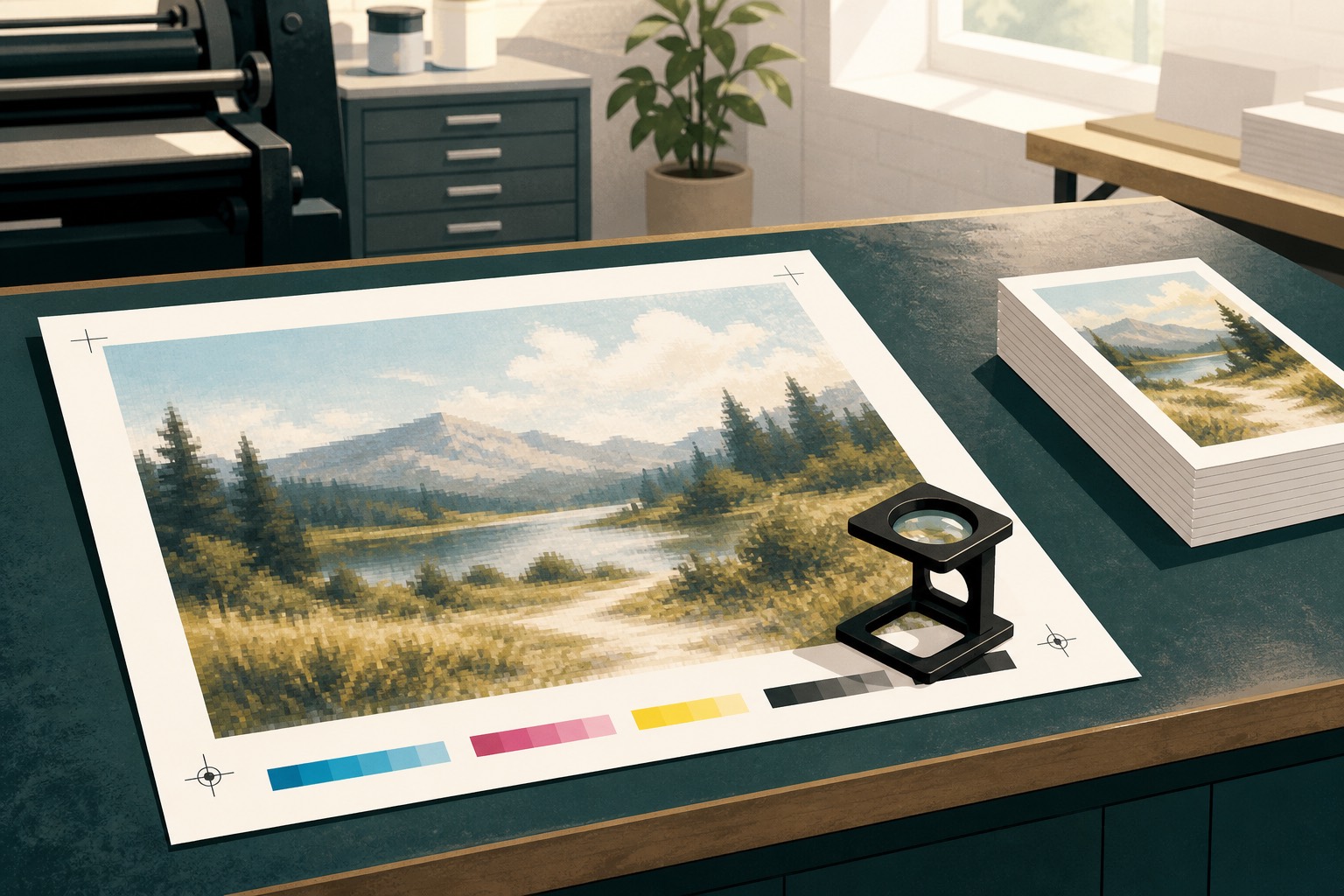
Quem chega a uma gráfica com um PNG baixado do ChatGPT ou do Midjourney pode ter o arquivo recusado depois de uma verificação ampliada. O problema não é a origem em inteligência artificial, mas o uso de um arquivo preparado para tela como material de impressão.
Geradores como Midjourney e as ferramentas de imagem do ChatGPT são bons em criar uma cena que você quer pendurar na parede, mas não entregam o arquivo que a prensa precisa, porque são trabalhos diferentes. A gráfica cobra para separar uma imagem bonita de uma página que dá para cortar, imprimir e entregar sem reimpressão.
Gráficas falam de pontos por polegada porque a prensa deposita tinta em um papel de tamanho conhecido. As notas de tamanho de imagem do Midjourney fazem a mesma conta: um quadrado de 2048 pixels a 300 dpi tem cerca de 6,8 polegadas de lado. Os modelos da OpenAI geram arquivos com dimensões semelhantes, e o DALL-E trabalha com tamanhos próximos de 1024 pixels ou 1792 por 1024 em formato horizontal.
A cor é outro fator: telas usam RGB, enquanto impressão offset e muitas impressoras digitais usam CMYK. Os dois modelos não reproduzem exatamente a mesma faixa de cores. Tons RGB intensos podem ficar fora da gama do CMYK e precisam ser convertidos para cores que a tinta consiga reproduzir.
Outro requisito comum é a sangria, uma área adicional além da linha de corte que evita bordas brancas quando há pequenas variações no acabamento. Muitas gráficas pedem um PDF/X ou pelo menos um PDF para impressão, não uma imagem exportada de uma conversa. O Canva informa que o PDF Standard usa 96 dpi para telas, enquanto o PDF Print usa 300 dpi e pode incluir sangria e marcas de corte; a ajuda de sangria recomenda cerca de 3 mm de cada lado.
Eles contam pixels
Um gerador típico produz imagens com cerca de 1024 pixels de lado, enquanto alguns modos pagos chegam a 2048. A qualidade de impressão depende da quantidade de pixels por polegada no tamanho final do papel, não apenas do valor de 300 dpi registrado nas informações do arquivo.
Faça a conta: 1024 dividido por 300 dá cerca de 3,4 polegadas, pouco menos de 9 centímetros. Um folheto A4 exige aproximadamente 2480 por 3508 pixels a 300 pontos por polegada; ampliar uma imagem quadrada de 1024 pixels para essa folha reduz a resolução para perto de 120 dpi e deixa a impressão sem definição.
Mudar o número de dpi num editor sem acrescentar pixels não resolve nada, porque você só fez o documento afirmar que é menor. A gráfica continua vendo 1024 pixels, e o papel continua pedindo a conta que o arquivo não fecha.
A cor que você viu não é tinta
Telas formam cores com luz vermelha, verde e azul, enquanto impressoras usam tintas ciano, magenta, amarela e preta. A gama de cores RGB é mais ampla, por isso tons muito intensos podem ficar opacos ou mudar levemente durante a conversão para CMYK.
Se a sua marca usa um azul muito intenso, a gráfica pode não conseguir reproduzi-lo exatamente. O monitor emite luz, enquanto a impressão usa pigmentos com uma gama de cores mais limitada.
Não existe flyer no arquivo
Uma imagem gerada é apenas um conjunto de pixels. Um arquivo pronto para impressão também precisa de dimensões em milímetros, sangria além da linha de corte, área segura para o texto e, em geral, um PDF compatível com o software da gráfica.
A IA não acrescenta automaticamente 3 mm de sangria ao redor de um A5, não mantém o número de telefone a uma distância segura da linha de corte nem exporta um PDF pronto para impressão. O PNG gerado ainda precisa ser diagramado como uma página.
As letras fazem parte da figura
Peça ao gerador um cartaz com manchete e você recebe tipo derretido, letras trocadas e um telefone que quase existe, e isso não é fonte: você não corrige o espaçamento. No tamanho de impressão, esses erros são a primeira coisa que um humano lê, porque a letra virou desenho e o desenho não se edita como texto.
O mesmo vale para logotipo, porque uma marca que precisa viver numa van e numa caneta tem de ser vetor: linhas e texto que você escala. Um “logo” de 1024 pixels é a fotografia de um logo, e a gráfica que pede SVG ou PDF da marca está pedindo algo que ainda dá para editar em qualquer tamanho.
Os trechos estranhos ficam enormes
Mãos com articulações extras, padrões repetidos e pele artificial podem passar despercebidos na tela do celular, mas ficam evidentes em um cartaz de 50 centímetros. Por isso algumas gráficas recusam arquivos com esses defeitos antes da impressão.
Como imprimir mesmo assim
Pare de tratar o arquivo gerado como o trabalho e trate-o como uma foto que você vai colocar dentro de uma diagramação de verdade. A cena pode ser inventada, mas a página ainda precisa de milímetros, sangria e texto editável.
Monte a página no Canva, no InDesign ou no Affinity Publisher, porque essas ferramentas existem para texto, margens e um tamanho final em milímetros, e o gerador não. Abra uma tela personalizada no tamanho exato da impressão, ligue a sangria e coloque cada palavra como texto real, com o logo em vetor ou PNG nítido e a imagem de IA como fundo ou painel, não como o flyer inteiro.
Antes de colocar a imagem no layout, confira a resolução e examine o arquivo com zoom de 100 por cento: se o rosto ou a borda do produto já estiver sem definição, não imprima. Depois amplie a imagem de 1024 pixels, começando em 2x, e confira novamente rostos, bordas e letras, porque a ampliação pode criar detalhes plausíveis, mas não corrige texto deformado nem recria um logo inexistente.
Coloque o arquivo ampliado no layout sem ultrapassar a resolução útil e leve a sério o aviso do Canva quando a imagem for pequena demais para o espaço. Deixe uma margem para o texto não ficar próximo da linha de corte, exporte em PDF para impressão com marcas de corte e sangria, use CMYK se o Canva oferecer e confirme com a gráfica quem fará a conversão de cores.
Essa divisão resume o processo: o gerador cria a cena, a ferramenta de layout monta a página e a gráfica recebe um arquivo preparado para impressão.
Quando ainda não dá
Uma imagem de 1024 pixels não tem resolução suficiente para uma vitrine, embora a distância de observação permita usar menos pixels em banners do que em folhetos. Logos destinados a bordado ou vinil precisam de arquivo vetorial, e textos pequenos incorporados à imagem devem ser refeitos em uma ferramenta de layout. Quando a cor for essencial, peça uma prova antes de encomendar muitas cópias.
Se a gráfica disser não, em geral aponta para um desses fatos, então corrija o fato e depois volte. Discutir vibe no balcão não acrescenta pixels, não cria sangria e não transforma letra derretida em fonte.
O que eu levo no pendrive
Eu não levo o PNG do chat: levo o PDF de impressão, com sangria e marcas de corte, e o tamanho escrito no nome do arquivo. Se a loja pedir CMYK, eu anoto o que ela pediu, porque chute custa uma segunda viagem.
Eu também não peço ao gerador para “escrever o telefone bonito”, porque eu diagramo o telefone. A cena pode ser inventada, mas o número não, e um dígito errado impresso em 500 folhas é mais caro do que abrir uma caixa de texto.
Se o zoom de 100 por cento mostrar junta extra ou céu repetido, eu não discuto com o atendente: troco a imagem ou aceito que aquele arquivo é para tela. Tela e papel não são o mesmo trabalho, e a gráfica nunca recusou a ideia, recusou o print de uma ideia.
O gerador cria a cena, e o Canva ou outra ferramenta de diagramação monta a página: amplie a imagem até atingir a resolução necessária, mantenha o texto editável e exporte um PDF para impressão. A gráfica avalia a qualidade técnica do arquivo, não a ideia.