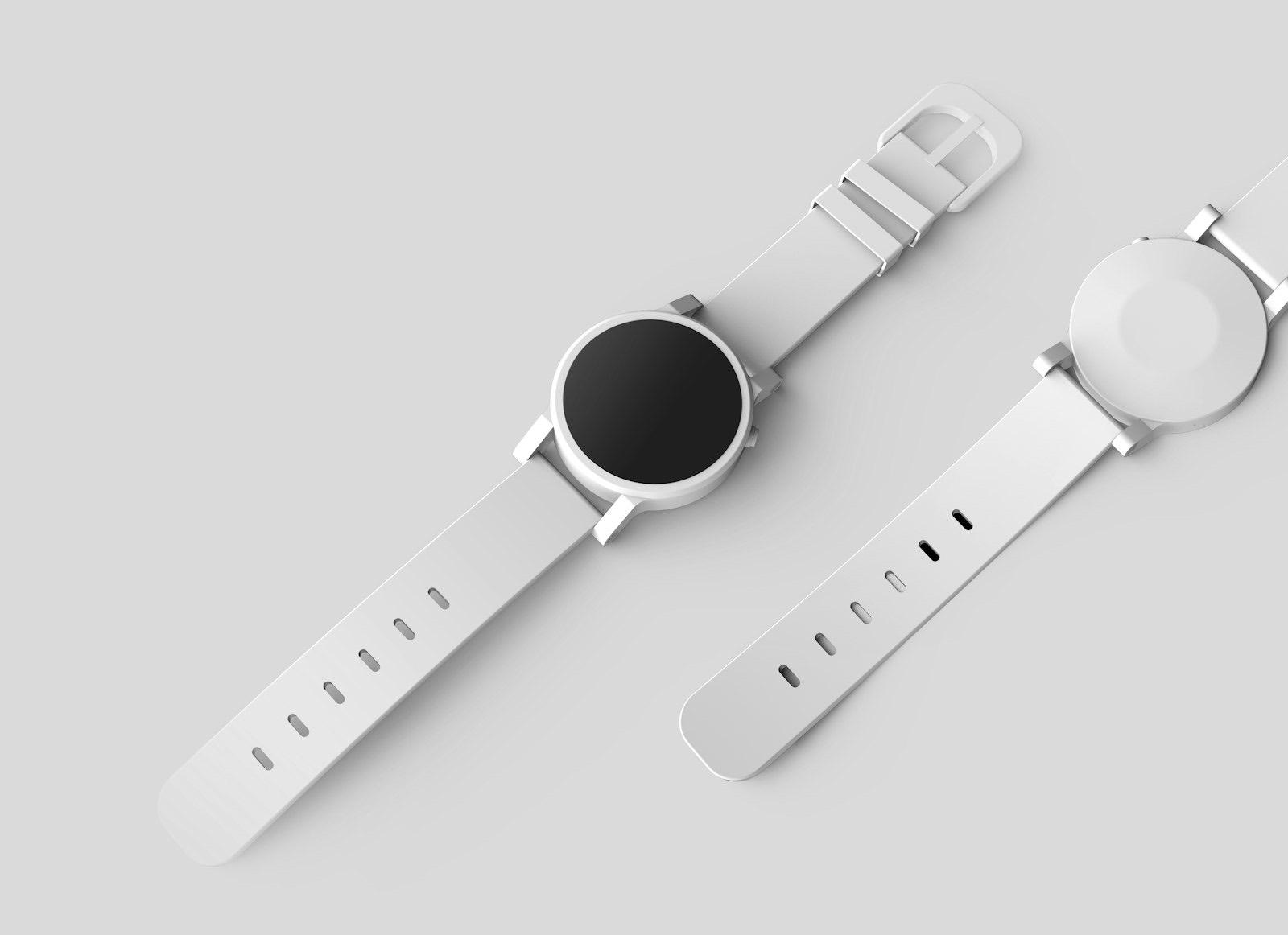
O produto pode estar adequado e a foto ainda ter iluminação ruim ou um fundo desorganizado. Quem compra não se importa com o ambiente da sua casa; o que importa é que o anúncio apresente o item com clareza.
Um mockup de produto permite remover o fundo, colocar o item em um cenário limpo e exportar um PNG quadrado com aparência de catálogo. O mesmo produto pode parecer amador sobre uma bancada e profissional em um fundo de estúdio.
Fotos de marketplaces seguem um padrão visual. As orientações de fotografia de produto da Amazon recomendam uma imagem principal limpa, geralmente sobre fundo branco, com o produto ocupando a maior parte do quadro. Os requisitos de imagem do eBay também pedem fotos nítidas, bem iluminadas e sem objetos que desviem a atenção.
Essa convenção vem da fotografia de produto como ofício: isole o objeto, controle a luz e impeça o fundo de competir. Mockup é um atalho para esse visual, não um substituto de uma foto de origem decente.
O que o ImgUtils faz
Um assistente de mockups de produto recorta o objeto e o coloca em um cenário, com prévia do resultado. Há cinco opções (branco, estúdio, escuro, menta e pôr do sol), e a escolha do cenário é mais importante do que a ferramenta.
Qual cenário
A escolha do cenário depende de onde a imagem será publicada. O fundo adequado à grade de um marketplace pode ser diferente daquele usado em uma publicação de rede social.
- Branco: a opção mais versátil. Marketplaces costumam preferir uma imagem principal limpa sobre fundo branco, que também funciona bem em documentos e miniaturas.
- Estúdio: suave e neutro. Bom para página de marca, lookbook e qualquer lugar em que você queira polimento sem cara clínica de catálogo.
- Escuro: feito para produto claro, colorido ou metálico. Um gadget branco num cenário escuro ganha drama. Um gadget preto num cenário escuro ganha camuflagem. Escolha de acordo.
- Menta: opção leve para produtos artesanais, infantis ou que ficariam sem destaque sobre o branco puro.
- Pôr do sol: quente, com cara de lifestyle. Melhor para post e banner do que para uma grade rígida de marketplace.
Se você administra uma loja com muitos anúncios, escolha um cenário consistente. Produtos fotografados em fundos muito diferentes deixam o catálogo desorganizado, enquanto um padrão visual ajuda a identificar a marca. Reserve os cenários mais elaborados para as fotos extras e mantenha a imagem principal simples.
Um fluxo que costuma funcionar
- Tire (ou escolha) uma foto com bordas claras e contraste decente contra o fundo. A etapa de recorte só acha bordas que de fato existem.
- Abra Mockups de produto e envie. JPG, PNG, WebP ou HEIC, até 25 MB.
- Gere e teste alguns cenários antes de escolher o resultado.
- Dê zoom e confira alças, cabelo, bordas finas e buracos estranhos no recorte antes de confiar na prévia.
- Baixe o PNG e jogue no anúncio, no pitch ou no post.
Detalhes do anúncio
A exportação quadrada é intencional, porque muitas grades de marketplace e páginas de loja recortam as imagens para um formato próximo do quadrado. Compor nesse formato desde o início evita cortes em partes importantes do produto.
- Mantenha o produto grande no quadro. O comprador vê primeiro uma miniatura e só depois abre a imagem completa, por isso o item precisa continuar reconhecível em tamanho pequeno.
- Se a plataforma oferece zoom, use uma foto com pelo menos 1000 pixels no lado maior para a visualização ampliada não perder definição.
- Use o mesmo ângulo de câmera em um conjunto de anúncios sempre que possível. A combinação de ângulo e cenário consistentes cria uma aparência de catálogo.
Checagem
Mockup não inventa um produto melhor e não conserta foto embaçada, ângulo estranho ou a gordura na lente que está no seu celular desde março. Faz um objeto limpo parecer que você quis aquilo, e esse é o trabalho inteiro.
A falha mais comum está na foto de origem, não no cenário. Se o recorte ficar irregular ou apagar parte de uma alça ou de um cabo, refaça a imagem com iluminação melhor, fundo simples e mais margem ao redor do produto. Evite também acrescentar muitos elementos decorativos, porque o cenário já define o estilo do anúncio.
Antes de publicar
Eu coloco o mockup ao lado de duas fotos de concorrente e encolho a janela, e se o meu item parece menor ou mais sujo no tamanho de selo eu volto. Em geral o conserto não é um cenário novo: é um corte mais apertado para o produto preencher o quadrado, ou uma nova foto com o rótulo virado para a câmera.
Também recuso usar cinco cenários numa loja só: branco na imagem principal e um outro cenário nas fotos extras se eu precisar de clima. Quem compra compara azulejos, não portfólio, então uma grade que combina consigo mesma parece loja e uma grade que muda de cor a cada linha parece bazar.
Se o recorte comeu uma alça, eu não pinto a alça de memória: tiro a foto de novo sobre papel, com a alça um pouco erguida para a borda aparecer. O software não é o gargalo, a borda é.
O que não vai para mockup
Eu não coloco uma foto desfocada do celular em um cenário de pôr do sol e chamo o resultado de catálogo, porque o produto ainda precisa estar nítido. Um mockup feito com uma imagem sem definição continua parecendo ruim, mesmo com um fundo melhor.
Também evito o mockup quando o rótulo contém informações essenciais. Se o comprador precisa ler ingredientes ou dimensões, faço uma foto frontal, bem iluminada e sobre papel branco, deixando o cenário de uso para as imagens adicionais.
Quando tenho um conjunto de itens parecidos, fotografo todos na mesma tarde, mesma janela e mesma altura, e depois passo pelo mesmo cenário. Luz combinada mais fundo combinado é como uma loja pequena começa a parecer que tem prateleira, não mesa de cozinha.
Se a plataforma exige fundo branco na imagem principal, sigo essa orientação. A primeira posição faz parte da grade principal, enquanto as imagens adicionais podem usar cenários mais elaborados.
A falha mais comum está na foto original, não no cenário. Se o recorte ficar irregular, refaça a imagem com iluminação melhor, fundo simples e mais margem ao redor do item. O cenário já define a apresentação, e elementos adicionais podem deixar o resultado poluído.